Let’s be honest, technology changes fast, but the shift we’re seeing with AI trends in SaaS isn’t just another update. It’s a whole new phase. A year or two ago, businesses were “exploring” AI as it was optional.
Today, they’re relying on it. And by 2026, using SaaS without AI will feel like using the internet without Google, technically possible, but painfully inefficient. People aren’t looking for more tools anymore. They’re looking for tools that do more for them.
And that’s exactly where AI in SaaS is taking us.
Why Everyone Wants AI in SaaS Now
If we remove all the buzzwords, here’s the real reason adoption is exploding AI reduces friction. Teams don’t want to read through massive reports, manually enter data, jump between five different platforms, or repeat tasks that feel robotic. They want clarity and speed. AI fills that gap by turning complexity into simplicity.
Employees who hated learning new platforms are suddenly happily using them because the AI guides them, suggests actions, auto-organizes things, and even predicts what they’ll need next. So “learning software” becomes more about using it, not wrestling with it.
This shift dominates in 2026.
What `AI Adoption In SaaS` Looks Like in the Real World in 2026

Businesses adopting AI in SaaS follow a predictable journey. At first, they start small, maybe using it for content drafting, automating workflows, or analyzing patterns. Then they add AI-assisted reporting. Suddenly, all departments start using it, not just tech teams.
A funny thing happens next: the tool stack shrinks.
Instead of buying seven different SaaS products, teams choose one AI-powered platform that handles documentation, task management, reporting, collaboration, automation, and insights.
This consolidation trend is accelerating so fast that software redundancy is becoming one of the biggest expenses companies are cutting.
How AI in SaaS Shows Up in Everyday Workflows (Use Cases)

Personalized Workflows
Instead of everyone working the same way, AI adjusts workflows based on behavior, preferences, job role, and historical actions.
No setup. No complicated onboarding. The system adapts to the user.
Customer Support Automation
Support teams aren’t expected to type the same responses over and over anymore. AI drafts replies, categorizes tickets, detects urgency, and even predicts churn risk.
Support becomes proactive, not reactive.
Sales Assistance
Sales teams stop wasting time writing email follow-ups or updating CRM fields manually. With AI in SaaS, proposals generate automatically, leads are scored intelligently, and outreach timing is optimized.
It feels less like a tool and more like a sales partner.
Collaborative Intelligence
Meetings don’t disappear, they just become smarter. AI summarizes discussions, organizes notes, identifies decisions, and turns them into tasks instantly.
Instead of “Where did we leave that?” teams have automatic clarity.
Data-Driven Forecasting
Executives no longer have to wait for a quarterly analysis. AI gives real-time forecasting with clear action insights.
It’s like having strategy baked into the software.
Why AI in SaaS Is Becoming the Standard
The biggest reason AI in SaaS is becoming unavoidable is expectations. Once someone uses software that predicts what they need, automates work, improves accuracy, and removes complexity, they won’t go back.
People don’t want instructions. They want outcomes.
Businesses are realizing that AI isn’t just improving efficiency, it’s shaping competitive advantage. Companies adopting AI today gain speed. Companies adopting later will need to catch up.
And catching up isn’t fun.
AI Trends in SaaS for 2026
1. SaaS Will Shift From “Tool” to “AI Co-Pilot”
The biggest shift happening in 2026 is that SaaS products won’t just assist work, they’ll actively participate in it. Instead of waiting for input, the software will start suggesting follow-ups, generating drafts, summarizing information, and predicting next actions. A CRM won’t just act like a digital contact book anymore. It will analyze conversations, categorize intent, detect buying stages, and propose tailored messaging. The product becomes more like a teammate than software, stepping in exactly when needed.
2. Hyper-Personalization Will Become Normal
Users are done with generic dashboards and one-size-fits-all workflows. AI in SaaS is now capable of adapting interfaces, tone, task priorities, and automation behaviors based on the individual user. Personalization isn’t just cosmetic, it changes the workflow experience. Two people using the same SaaS product could see different suggestions, layouts, and actions because the system understands how each of them works.
Hyper-personalization often includes:
- Role-based predictions
- Industry-aware templates
- Tone and language matching
- Preference-based automation
This creates a sense of “software built for me,” which drives loyalty and retention naturally.
3. Autonomous Onboarding and Configuration
One of the most painful stages in SaaS adoption has been onboarding, configuring workflows, setting up fields, importing templates, and mapping processes. In 2026, AI will largely eliminate this friction. Instead of asking users to set everything up manually, AI will analyze uploaded data, observe behavioral patterns, and configure the system automatically.
A new user won’t start with an empty dashboard. They’ll start with a complete setup that feels familiar, because it’s based on their context.
4. Context-Aware Intelligence Will Replace Generic AI
Generic prompts and generic outputs are losing relevance. Users expect AI to fully understand the context in which it’s being used, their role, data, history, tone, and intent. SaaS platforms are now integrating contextual memory and behavioral intelligence so responses feel accurate and aligned with the user’s environment.
This means AI will stop asking the user to explain everything, it will already know enough to produce relevant output.
5. Multimodal AI Will Become a Core Expectation
People don’t want to convert information to text just so software can understand it. SaaS platforms in 2026 will increasingly be multimodal, meaning they will process text, voice, video, images, screenshots, spreadsheets, and more. A user might upload a PDF or record a short voice memo, and the system will convert it into structured content, insights, action items, or automation triggers.
This removes formatting friction and makes the product compatible with real-world data, not just clean inputs.
6. Predictive and Proactive UX Will Become Standard
Software used to wait for users to click. Now, it predicts what the user likely wants and surfaces it automatically. Instead of searching for templates, configuring views, or scheduling reports, the product will act before the user realizes they need it.
Examples include:
- Auto-generating weekly reports based on historical patterns
- Suggesting workflow automation when repeat behavior is detected
- Preparing context-aware summaries before meetings
The experience becomes anticipatory, not reactive.
7. AI-Native Platforms Will Replace AI-Enabled Ones
There’s a difference between adding AI to an old SaaS architecture versus building SaaS around AI from the beginning. AI-native platforms will dominate because intelligence isn’t a feature, it’s the foundation. These platforms don’t bolt AI onto existing workflows. They design workflows assuming automation, prediction, and personalization will exist from day one.
AI-native products feel smoother, faster, and more adaptive because they were built for the world SaaS is moving into, not the world it’s leaving.
What These Trends Changes for SaaS Builders
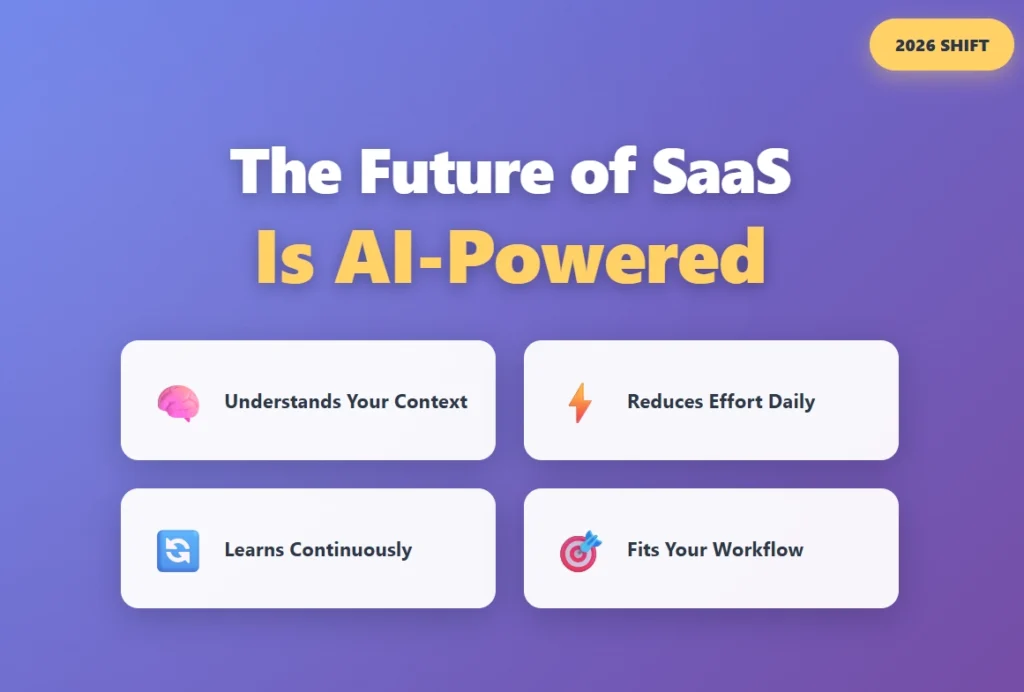
If you’re building SaaS, there’s a shift happening: users don’t want features, they want assistants. They want software that:
- Understands context
- Learns continuously
- Fits into existing workflows
- Reduces effort instead of adding steps
AI is no longer a marketing headline. It’s an expectation in onboarding, engagement, retention, and scale.
And the companies building without it are going to feel outdated sooner than they think.
How SaaS businesses can implement AI in their products?
1. Start with User Behavior, Not the Model
Before writing code or choosing a model, the first step is understanding how users interact with your product today. AI isn’t valuable just because it exists, it’s valuable only when it removes friction. Spend time watching how users move through workflows and where they hesitate. Many SaaS products have invisible bottlenecks: points where users pause, repeat similar actions, switch tabs, or abandon a screen.
You’ll notice patterns like:
- Long setup time
- Repetitive manual tasks
- Confusion when starting something new
- Extra clicks to find information
When AI solves these behaviors rather than adding new layers, it becomes a core value driver, not a novelty.
2. Build Invisible AI First
Most companies jump to visible AI, assistants, chat modules, or generators. But the smartest approach is starting with AI that silently improves the experience without user input. This makes the product feel smoother, faster, and more intuitive without requiring users to “learn” a new feature.
Invisible AI examples include automatic classification, smart form prefills, intelligent routing, and predictive sorting. These improvements don’t need onboarding, documentation, or explanation, the software simply feels better.
When the foundation is invisible automation, visible AI becomes far more powerful and less overwhelming.
3. Replace Blank Screens with Smart Starting Points
Empty screens are the biggest adoption killers. When users see a blank dashboard or empty workspace, the brain stalls. AI eliminates that hesitation by creating smart starting points. Instead of asking the user to create, configure, or import, give them something editable.
For example:
- A CRM can preload sample pipeline stages relevant to the user’s industry.
- A proposal tool can draft a template based on uploaded documents or the company website.
- A project management tool can generate tasks based on meeting transcripts or past patterns.
People don’t want to start from zero, they want to refine.
4. Implement Micro-Automations Instead of a Massive AI Feature
Instead of trying to launch one giant AI module, sprinkle intelligence throughout the existing experience. When improvements show up in small, helpful ways, users adopt them naturally.
Places where micro-automations shine:
- Autofill repeated user data
- Suggest next steps based on past behavior
- Surface relevant content automatically
- Clean messy formatting or structure with one click
These small touches create meaningful habit loops, and habit loops drive retention.
5. Make AI Context-Aware, Not Generic
Generic responses feel robotic and forgettable. Context makes AI feel tailored and trustworthy. When your AI understands the user’s role, preferences, workflow, and history, the experience starts feeling like a personal assistant rather than a tool that guesses.
Context may include:
- Industry or niche
- Tone preferences
- User role (manager, contributor, analyst)
- Past actions or communication style
Once AI feels personalized, the user begins relying on it, and that’s when perceived product value skyrockets.
6. Trigger AI at the Right Time (Not Only When Asked)
A great AI implementation doesn’t wait behind a button. It steps in when the moment is right. This could be when a user hesitates, repeats a workflow more than a few times, or reviews a dataset with patterns.
Examples of well-timed triggers:
- “Looks like you repeat this every week. Automate it?”
- “This report has anomalies, want a summary?”
- “You paused, draft a continuation?”
AI should feel proactive, not passive.
7. Add Guardrails So Users Feel Safe Using It
Even if AI is brilliant, it won’t be trusted unless users know they’re still in control. Guardrails reassure people that AI isn’t taking over, it’s assisting.
Simple guardrails include:
- Preview before applying changes
- Undo button
- Confidence scoring
- A short explanation of why a suggestion was made
Trust isn’t optional, it’s the adoption gateway.
8. Allow Personalization of AI Output
One of the best ways to make AI feel like part of the product is letting users customize how it behaves. Not everyone wants the same tone, structure, or formatting style. Offering AI personality controls gives the experience ownership and identity.
A user should be able to say, “Write this the way I do.” That’s the moment AI stops feeling like automation and starts feeling like support.
9. Use AI Internally Before You Give It to Users
Many companies build AI for customers before testing it on their own teams. The result? Confusing UX, implementation gaps, and poor real-world performance. Use your own AI first, for onboarding, customer support, feature suggestions, or internal insights.
Teams using their own AI find blind spots much faster than beta testers.
If your own support team doesn’t enjoy using it, your users won’t either.
10. Measure Impact Based on Effort Saved, Not Engagement
The success of AI isn’t measured by how many times users click the AI button. It’s measured by how much effort it removes from workflows. AI is doing its job when users complete tasks faster, when onboarding shrinks, when support tickets drop, and when retention rises because work feels easier.
If users rely on the product more and think about the AI less, you’ve built it correctly.
The Next Phase of AI in SaaS (Beyond 2026)
The next wave isn’t just smarter automation. It’s intelligence that blends multiple formats, text, voice, visuals, behavior, and decision-making.
Future AI in SaaS will:
- Predict workflows before they’re created
- Understand tone and intent
- Auto-generate dashboards with conclusions rather than charts
- Execute decisions with approval instead of waiting for instructions
The lines between “software” and “assistant” will blur completely.
People won’t say “I use this software.”
They’ll say: “It helps me run my work.”
What Businesses Actually Get Out of This
Let’s simplify the benefits without the sugar-coating:
- Faster onboarding
- Faster work execution
- Reduced human error
- Fewer tools needed
- Lower operational cost
- Smarter decisions
- Better customer experience
Nothing fancy, just real business advantages.
The Reality Check: Not Everything Is Perfect
AI in SaaS isn’t a magic wand. Some companies still struggle with adoption because of:
- Data privacy concerns
- Integration challenges
- Legacy systems
- Change resistance
- Unclear governance
But here’s the thing: these barriers are shrinking fast because the benefits now outweigh the friction. And once teams start experiencing results, resistance doesn’t stand a chance.
Final Thoughts
AI in SaaS isn’t replacing software. It’s redefining what SaaS means.
Instead of being tools we use, platforms are becoming extensions of how we work. They think, adapt, suggest, automate, and simplify.
And by 2026, this won’t feel futuristic, it’ll just feel normal.
The companies adopting now? They’re getting faster, more efficient, and more competitive.
The ones waiting? They’ll eventually adopt too, just from behind.
FAQs
1. How do I decide where to use AI in my SaaS product?
Start by analyzing user behavior rather than brainstorming hypothetical use cases. Look at friction points, repeated actions, abandoned flows, and long decision moments. AI should be implemented where it removes effort, not where it simply looks impressive.
2. Do I need a chatbot or assistant to say I’m using AI?
No. Many of the most valuable AI improvements are invisible, such as auto-tagging, predictive fields, smart sorting, or workflow suggestions. A visible chatbot can come later, but hidden automation often provides the biggest early gain.
3. How much training data do I need before implementing AI?
You don’t always need massive datasets to begin. Start with small, context-aware improvements using existing product activity, metadata, and predefined logic. As users interact, the system naturally gathers better training signals.
4. How do I make sure users trust the AI?
Add guardrails. Allow preview-before-apply, give users an undo option, show confidence scores, and include short reasoning behind suggestions. Transparency builds trust faster than accuracy alone.
5. What is the best way to measure if AI implementation is successful?
Measure effort reduction, not interaction volume. Track indicators like shorter onboarding time, decreased manual steps, increased task completion, fewer support tickets, and higher user retention. If users are getting things done faster, the AI is delivering real value.