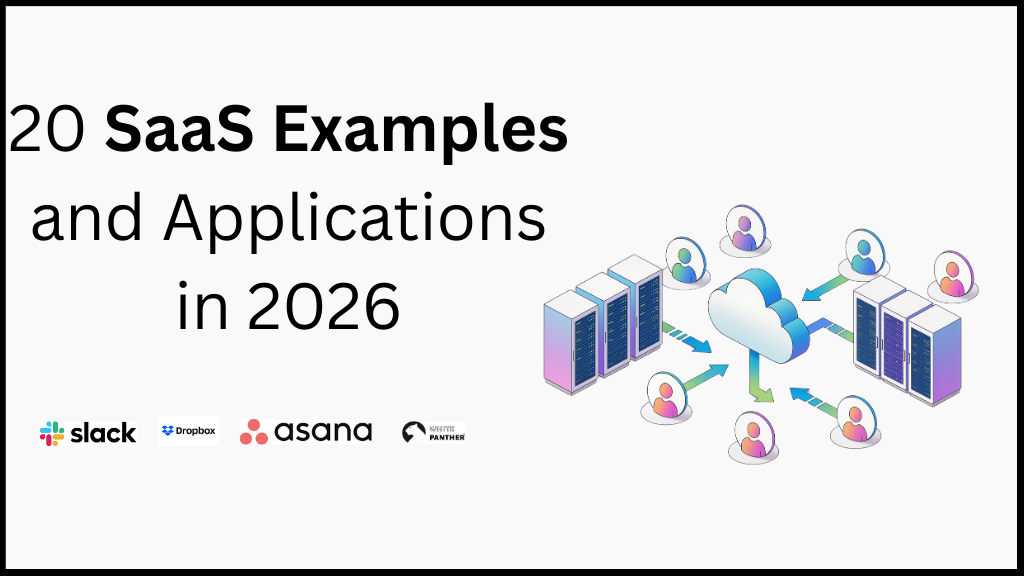
Software as a Service (SaaS) has quietly become the backbone of how modern businesses operate. In 2026, SaaS is no longer just a “cloud option.” It is the default way teams build, sell, collaborate, analyze data, and serve customers. If you log in through a browser, skip installations, and get regular updates without lifting a finger, you are already using SaaS.
At its core, SaaS refers to software that runs on the cloud and is accessed over the internet, usually through a subscription model. Instead of buying software once and installing it on a single machine, you pay to use it, scale it, and update it continuously. This shift has changed how companies think about costs, speed, and growth.
Why does SaaS matter more than ever in 2026? Because businesses are moving faster, teams are more distributed, and customers expect instant value. SaaS applications make that possible by removing heavy infrastructure, reducing upfront investment, and allowing companies to adapt in real time.
A few key reasons SaaS dominates modern software:
• Faster deployment with minimal setup
• Lower upfront costs compared to traditional software
• Automatic updates and security patches
• Easy scalability as teams and usage grow
• Access from anywhere, on any device
According to Gartner, global SaaS revenue is expected to continue double-digit growth as companies prioritize flexibility and operational efficiency. You can explore their latest forecasts here: https://www.gartner.com/en/information-technology/insights/software-as-a-service
From startups testing ideas to enterprises managing thousands of employees, SaaS applications support every stage of business. Marketing teams rely on SaaS tools for automation and analytics. Finance teams use SaaS platforms for billing and forecasting. Product teams build, test, and ship entirely within SaaS ecosystems.
In this guide, you will find more than 20 real-world SaaS examples and applications that are shaping 2026. Each example highlights how SaaS is applied, why it works, and where it delivers the most value. Whether you are evaluating tools, building a SaaS product, or simply trying to understand the landscape, this article is designed to give you a complete picture.
Throughout this post, you will also see practical use cases, short examples, and industry-specific applications. Internal links such as (Insert internal links) are included where relevant to help you explore related topics in more depth.
Up next, includes the best options for boosting efficiency and getting real results.
| Tool name | Best For | Key Features | Pricing* |
|---|---|---|---|
| Salesforce | Enterprise CRM and sales automation | Lead & opportunity management, AI-driven insights, workflow automation, multi-channel customer tracking | Starts around $25/user/month |
| HubSpot | Marketing, sales, and service teams | CRM, email marketing, marketing automation, analytics, customer support tools | Free plan available; paid plans from $18/month |
| Slack | Team communication and collaboration | Real-time messaging, channels, integrations, file sharing, workflow automation | Free; paid plans from $7.25/user/month |
| Zoom | Video conferencing and virtual meetings | HD video meetings, webinars, screen sharing, recording, virtual backgrounds | Free; paid plans from $14.99/month |
| Shopify | E-commerce businesses | Online store builder, payment processing, inventory management, app marketplace | Starts at $39/month |
| Stripe | Online payments and billing | Payment processing, subscriptions, invoicing, fraud detection, global payments | Pay-as-you-go (2.9% + 30¢ per transaction) |
| Zendesk | Customer support and helpdesk | Ticketing system, live chat, AI chatbots, customer analytics | Starts at $19/agent/month |
| Notion | Knowledge management and documentation | Notes, databases, project tracking, collaboration, templates | Free; paid plans from $10/user/month |
| Trello | Task and project management | Boards, lists, cards, automation, team collaboration | Free; paid plans from $5/user/month |
| Asana | Workflow and project management | Task tracking, timelines, automation, reporting, team collaboration | Free; paid plans from $10.99/user/month |
| Google Workspace | Productivity and collaboration | Gmail, Docs, Sheets, Drive, Calendar, real-time collaboration | Starts at $6/user/month |
| Microsoft 365 | Business productivity suite | Word, Excel, Outlook, Teams, cloud storage, security tools | Starts at $6/user/month |
| Mailchimp | Email marketing and automation | Email campaigns, audience segmentation, automation, analytics | Free; paid plans from $13/month |
| Canva | Design and visual content creation | Templates, drag-and-drop editor, brand kits, team collaboration | Free; paid plans from $14.99/month |
| Freshbooks | Small business accounting | Invoicing, expense tracking, time tracking, financial reports | Starts at $17/month |
| QuickBooks Online | Accounting and finance management | Bookkeeping, payroll, tax prep, financial reporting | Starts at $30/month |
| Monday.com | Work management and operations | Custom workflows, automation, dashboards, integrations | Starts at $9/user/month |
| Dropbox | Cloud storage and file sharing | Secure storage, file syncing, sharing, version control | Free; paid plans from $9.99/month |
| WhitePanther | Business operations, communication, and productivity | AI-powered email drafting, task automation, team collaboration, workflow optimization, centralized work hub | Custom pricing based on team size |
| Ahrefs | SEO and content marketing | Keyword research, backlink analysis, rank tracking, site audits | Starts at $99/month |
| SEMrush | SEO and digital marketing | Keyword research, competitive analysis, PPC insights, content optimization | Starts at $129.95/month |
Table of Contents
Toggle1.Salesforce – A Leading SaaS CRM for Scalable Sales Operations
Salesforce is often the first name that comes up when teams talk about CRM software. That is not hype. It has earned its place by becoming deeply embedded in how sales, marketing, and customer success teams work every day.
At its core, Salesforce is a cloud-based SaaS platform designed to manage customer relationships. In reality, it functions as a single source of truth for revenue-related data. Every lead, email, deal stage, and customer interaction lives in one system. That alone removes a massive amount of chaos from growing teams.
Because Salesforce follows the Software as a Service model, teams avoid installing software or managing infrastructure. You log in through a browser. Updates happen automatically. New features roll out without disruption. This is one of the biggest reasons large organizations trust it.
Key Salesforce SaaS Features
Salesforce offers a wide range of features, but a few consistently drive real value:
• Centralized lead and opportunity tracking
• Customizable sales pipelines and dashboards
• Workflow automation for repetitive tasks
• AI-powered insights through Salesforce Einstein
• Deep integrations with other SaaS tools like Slack and email platforms
For example, a sales manager can instantly see which deals are at risk, which reps need support, and where revenue is likely to land this quarter. That level of visibility is difficult to achieve without a SaaS CRM.
Common Salesforce Use Cases
Salesforce adapts well across industries, which explains its broad adoption.
Typical use cases include:
• B2B SaaS companies managing long sales cycles
• Enterprises tracking thousands of customer accounts
• Consulting firms handling multiple client pipelines
• Financial services teams managing regulated customer data
• Customer success teams monitoring renewals and churn
A common real-world scenario looks like this: a SaaS company uses Salesforce to track inbound leads from marketing campaigns, assigns them automatically to sales reps, logs all conversations, and then hands off closed deals to customer success. Everything stays connected. Nothing falls through the cracks.
What Users Say About Salesforce
Public reviews paint a realistic picture, not just marketing claims.
On G2, Salesforce consistently receives high ratings for flexibility and scalability. Many reviewers praise its customization options.
One G2 reviewer notes:
“Salesforce can be molded to fit almost any sales process. Once it’s set up correctly, it becomes hard to imagine working without it.”
Source: https://www.g2.com/products/salesforce-sales-cloud/reviews
Reddit discussions tend to be more blunt. Users often highlight both power and complexity.
A common Reddit comment reads:
“Salesforce is insanely powerful, but you pay for that power in setup time and learning curve.”
Source: https://www.reddit.com/r/sales/
This contrast is important. Salesforce is not a plug-and-play tool for everyone. It shines most when teams are ready to invest time into configuration.
Salesforce Limitations You Should Know
No SaaS tool is perfect, and Salesforce has clear trade-offs.
Key limitations include:
• Steep learning curve for new users
• Requires setup and customization to deliver full value
• Can become expensive as teams scale
• Overkill for very small teams or solo founders
Smaller startups sometimes struggle early on because Salesforce assumes structured processes. Without clear workflows, the tool can feel overwhelming rather than helpful.
Why Salesforce Still Works as a SaaS Example
Despite its limitations, Salesforce remains a strong SaaS example because it scales with complexity. As teams grow, data grows. Processes multiply. Salesforce handles that growth better than most alternatives.
It also fits neatly into a broader SaaS ecosystem. Many companies connect Salesforce with tools for email, analytics, support, and internal collaboration. (Insert internal links)
In simple terms, Salesforce rewards clarity. When teams know how they sell and serve customers, Salesforce amplifies that structure. When they do not, it exposes the gaps.
2.HubSpot – An All-in-One SaaS Platform for Marketing, Sales, and Customer Service
HubSpot is a classic example of how Software as a Service works best when simplicity meets depth. Many teams start using HubSpot for one reason, usually marketing automation, and then slowly expand into sales, CRM, and customer support. That gradual adoption is part of its strength.
Unlike complex enterprise tools, HubSpot positions itself as approachable. You can sign up, launch a campaign, and see results without weeks of onboarding. At the same time, it still offers enough depth to support growing businesses that need structure, reporting, and automation.
HubSpot runs entirely in the cloud. There is no installation, no maintenance, and no manual upgrades. Everything updates automatically, which is exactly what SaaS is supposed to feel like.
Key HubSpot SaaS Features
HubSpot is built around a shared CRM, with multiple “Hubs” layered on top.
The most used features include:
• Free CRM with contact and deal tracking
• Email marketing and marketing automation workflows
• Landing pages and form builders
• Sales pipeline management and email tracking
• Customer support tickets and live chat
• Analytics dashboards across marketing and sales
One underrated strength is how tightly everything connects. When a lead opens an email, visits a page, and books a demo, HubSpot tracks the entire journey. Sales teams see context instead of cold data.
Common HubSpot Use Cases
HubSpot works best for teams that care about inbound growth and clean processes.
Popular use cases include:
• SaaS startups building inbound lead pipelines
• Marketing teams running content and email campaigns
• Sales teams tracking deals without heavy CRM complexity
• Customer support teams managing tickets and chats
• Agencies managing multiple client campaigns
A typical example looks like this: a SaaS company publishes blog content, captures leads through HubSpot forms, nurtures them via automated emails, and passes qualified leads to sales. All activity stays logged in one SaaS platform, reducing tool sprawl. (Insert internal links)
What Users Say About HubSpot
HubSpot reviews are generally positive, especially from small and mid-sized teams.
On G2, HubSpot scores highly for ease of use and onboarding.
One G2 reviewer shares:
“HubSpot makes it easy for marketing and sales to stay aligned. The CRM is simple, and the automation saves hours every week.”
Source: https://www.g2.com/products/hubspot-marketing-hub/reviews
Reddit feedback often highlights the same theme: ease versus cost.
A common Reddit opinion:
“HubSpot is fantastic when you’re small. Just be careful because pricing climbs fast as your contact list grows.”
Source: https://www.reddit.com/r/marketing/
These comments reflect a real pattern. Teams love HubSpot early on. Costs become a bigger consideration later.
HubSpot Limitations to Consider
HubSpot trades flexibility for usability, which is not always ideal.
Notable limitations include:
• Pricing increases significantly with contact volume
• Advanced customization is limited compared to enterprise CRMs
• Automation features are gated behind higher plans
• Reporting can feel basic for data-heavy teams
For large enterprises with complex workflows, HubSpot may feel restrictive. It shines most when teams want speed and clarity rather than deep customization.
Why HubSpot Stands Out as a SaaS Example
HubSpot succeeds because it removes friction. Teams can focus on creating content, closing deals, and helping customers instead of managing software.
Its SaaS model makes adoption easy, scaling predictable, and collaboration natural. For companies building inbound growth engines, HubSpot often becomes the backbone of daily operations.
Next, we’ll move into Slack, a SaaS tool that changed how teams communicate and collaborate.
3.Slack – A SaaS Collaboration Tool That Replaced Internal Email
Slack changed how teams communicate at work. Instead of long email threads, scattered messages, and missed updates, Slack introduced real-time conversations organized by channels. For many companies, Slack became the digital office where work actually happens.
As a Software as a Service platform, Slack runs fully in the cloud. Teams access it through a browser or app, and updates roll out automatically. There is no setup friction. You invite your team, create channels, and start talking.
What makes Slack powerful is not messaging alone. It is how conversations connect to tools, workflows, and decisions.
Key Slack SaaS Features
Slack focuses on clarity and speed. Its features are designed to reduce noise while keeping everyone aligned.
Core features include:
• Channels organized by teams, projects, or topics
• Direct messages for quick one-to-one conversations
• File sharing with searchable message history
• Integrations with SaaS tools like Google Drive, Jira, and Salesforce
• Workflow automation for reminders, approvals, and updates
A simple example explains the value. A product team creates a channel for a new feature launch. Designers, developers, and marketers collaborate in one place. Files, feedback, and decisions stay visible. No one has to dig through email chains.
Common Slack Use Cases
Slack works across industries, but it is especially popular with distributed teams.
Typical use cases include:
• Remote and hybrid teams replacing internal email
• SaaS companies coordinating product and engineering work
• Support teams sharing customer updates internally
• Leadership teams making quick decisions in private channels
• Cross-functional projects with multiple stakeholders
Slack also plays well inside larger SaaS ecosystems. Many teams connect it with task management, CRM, and monitoring tools to receive real-time alerts. (Insert internal links)
What Users Say About Slack
Slack receives strong feedback for usability and adoption.
On G2, users frequently mention how quickly teams adapt to it.
One G2 reviewer states:
“Slack keeps everyone on the same page. Channels make communication transparent, and integrations reduce context switching.”
Source: https://www.g2.com/products/slack/reviews
Reddit users are more candid about pros and cons.
A popular Reddit comment reads:
“Slack is amazing until every channel becomes noisy. It works best when teams agree on communication rules.”
Source: https://www.reddit.com/r/productivity/
That feedback highlights an important truth. Slack amplifies communication habits, good or bad.
Slack Limitations You Should Know
Slack is not without trade-offs.
Key limitations include:
• Notification overload without clear guidelines
• Search limitations on free plans
• Can encourage constant interruptions
• Not ideal for long-form documentation
Some teams struggle when Slack replaces structured processes instead of supporting them. Without discipline, it can become distracting rather than productive.
Why Slack Remains a Strong SaaS Example
Slack succeeds because it meets teams where they already work: in conversations. Its SaaS model removes technical barriers and allows teams to scale communication instantly.
When used thoughtfully, Slack reduces email clutter, speeds up decisions, and strengthens collaboration. That is why it remains one of the most widely adopted SaaS tools for modern teams.
4.Zoom – A SaaS Platform That Made Virtual Meetings Feel Natural
Zoom became synonymous with online meetings because it solved a simple but painful problem. People wanted video calls that just worked. No complex setup. No confusing interfaces. Click a link and you are in. That ease of use is exactly why Zoom stands out as a Software as a Service example.
As a cloud-based SaaS platform, Zoom removes technical friction. Users do not manage servers, install heavy software, or worry about updates. Everything runs over the internet, scales automatically, and stays reliable even as usage grows.
Zoom’s real strength lies in consistency. Meetings start on time, video quality remains stable, and audio rarely becomes a blocker. For businesses, that reliability matters more than flashy features.
Key Zoom SaaS Features
Zoom focuses on core communication first, then layers in advanced functionality.
Its most used features include:
• High-quality video and audio conferencing
• One-click meeting links with browser access
• Screen sharing and presentation tools
• Meeting recordings with cloud storage
• Breakout rooms for workshops and training
• Webinars and large virtual events
A common scenario looks like this: a distributed SaaS team schedules a sprint review. Engineers share screens, product managers walk through updates, and leadership joins without technical hiccups. Zoom fades into the background, which is exactly what good SaaS software should do.
Common Zoom Use Cases
Zoom supports far more than basic meetings.
Popular business use cases include:
• Remote team meetings and daily standups
• Sales demos and customer onboarding calls
• Online training sessions and workshops
• Company-wide town halls and webinars
• Interviews and hiring processes
Many companies also integrate Zoom with other SaaS tools such as calendars, CRMs, and collaboration platforms to automate scheduling and follow-ups. (Insert internal links)
What Users Say About Zoom
Zoom reviews consistently highlight reliability and ease of use.
On G2, Zoom scores highly for video quality and stability.
One G2 reviewer shares:
“Zoom works when other meeting tools fail. It’s simple, reliable, and easy for clients to join without friction.”
Source: https://www.g2.com/products/zoom/reviews
Reddit users often echo the same sentiment, especially for external calls.
A common Reddit comment notes:
“Clients never struggle to join Zoom calls. That alone makes it worth using.”
Source: https://www.reddit.com/r/telecommuting/
These reviews reveal why Zoom remains a default choice for customer-facing communication.
Zoom Limitations to Consider
Zoom is excellent at meetings, but it is not a complete collaboration suite.
Notable limitations include:
• Free plan meeting time limits
• Limited collaboration features outside meetings
• Security settings require proper configuration
• Not designed for async communication
Teams that rely heavily on documentation or task tracking often pair Zoom with other SaaS platforms rather than using it alone.
Why Zoom Continues to Work as a SaaS Example
Zoom succeeds because it focuses on removing friction from human interaction. Its SaaS model ensures scalability, reliability, and global access without technical complexity.
When meetings matter, Zoom delivers consistency. That reliability keeps it firmly positioned as one of the most trusted Software as a Service platforms for communication.
5.Shopify – A SaaS Platform Powering Online Commerce at Scale
Shopify is one of the clearest examples of SaaS solving a real business problem end to end. It allows anyone to launch, manage, and scale an online store without touching servers, code, or complex infrastructure.
As a SaaS platform, Shopify handles hosting, security, updates, and performance behind the scenes. Business owners focus on products, marketing, and customers. That separation is why Shopify works for both first-time founders and large brands.
Key Shopify SaaS Features
• Website and storefront builder
• Secure checkout and payment processing
• Inventory and order management
• App marketplace for extended functionality
• Multi-channel selling across social and marketplaces
Common Shopify Use Cases
• D2C brands launching online stores
• Retailers expanding into e-commerce
• Subscription-based SaaS and product bundles
• Dropshipping businesses
• International sellers managing multiple currencies
What Users Say
G2 reviewer:
“Shopify removes technical headaches. You can launch fast and focus on selling.”
Source: https://www.g2.com/products/shopify/reviews
Reddit feedback:
“Shopify is beginner-friendly but apps can add up fast.”
Source: https://www.reddit.com/r/shopify/
Limitations
• Transaction fees without Shopify Payments
• Heavy reliance on paid apps
• Limited backend customization
Why It Works
Shopify succeeds because it turns commerce into a service, not a technical project.
6.Stripe – SaaS Infrastructure for Online Payments
Stripe operates mostly behind the scenes, but it powers millions of transactions daily. It provides payment infrastructure through APIs and dashboards that scale effortlessly.
Key Features
• Global payment processing
• Subscription and billing management
• Fraud detection and prevention
• Developer-friendly APIs
Use Cases
• SaaS subscription billing
• Marketplaces and platforms
• Global e-commerce payments
• Usage-based pricing models
What Users Say
G2 review:
“Stripe just works. Clean APIs and reliable payments.”
Source: https://www.g2.com/products/stripe/reviews
Reddit:
“Best for developers, less friendly for non-technical users.”
Source: https://www.reddit.com/r/startups/
Limitations
• Steep learning curve for non-devs
• Limited phone support
Why It Works
Stripe abstracts payments so businesses can scale globally without complexity.
7.Zendesk – SaaS Customer Support at Scale
Zendesk helps companies manage customer conversations across email, chat, and social channels from one place.
Key Features
• Ticketing system
• Live chat and bots
• Knowledge base
• Analytics and reporting
Use Cases
• SaaS customer support teams
• E-commerce support desks
• IT and internal helpdesks
User Feedback
G2:
“Zendesk brings structure to customer support.”
Source: https://www.g2.com/products/zendesk-support-suite/reviews
Limitations
• Pricing increases with scale
• Interface can feel heavy
8.Notion – SaaS for Knowledge and Documentation
Notion blends notes, docs, and databases into one workspace.
Key Features
• Documents and wikis
• Databases and tables
• Team collaboration
• Templates
Use Cases
• Product documentation
• Internal knowledge bases
• Personal productivity systems
Feedback
Reddit:
“Notion replaces five tools, but performance can lag.”
Source: https://www.reddit.com/r/Notion/
Limitations
• Offline access limitations
• Can become complex quickly
9.Trello – Simple SaaS Task Management
Trello uses boards and cards to manage tasks visually.
Key Features
• Boards, lists, cards
• Automation rules
• Team collaboration
Use Cases
• Small teams
• Personal task tracking
• Lightweight project management
Limitations
• Not ideal for complex projects
• Limited reporting
10.Asana – SaaS Project and Workflow Management
Asana focuses on structured work tracking.
Key Features
• Task dependencies
• Timelines
• Automation
• Reporting
Use Cases
• Marketing teams
• Product launches
• Operations workflows
Limitations
• Learning curve for new users
• Overkill for small teams
11.Google Workspace – SaaS Productivity Suite
Google Workspace powers email, documents, and collaboration.
Key Features
• Gmail, Docs, Sheets
• Cloud storage
• Real-time collaboration
Use Cases
• Remote teams
• Startups and enterprises
• Education and training
Limitations
• Advanced spreadsheet limits
• Data privacy concerns
12.Microsoft 365 – Enterprise SaaS Productivity
Microsoft 365 combines traditional tools with cloud delivery.
Key Features
• Word, Excel, Outlook
• Teams collaboration
• Enterprise security
Limitations
• Interface complexity
• Licensing confusion
13.Mailchimp – SaaS Email Marketing Platform
Mailchimp helps businesses communicate with audiences.
Key Features
• Email campaigns
• Automation
• Audience segmentation
Limitations
• Pricing increases quickly
• Limited automation depth
14.Canva – SaaS Design for Non-Designers
Canva democratizes design.
Key Features
• Drag-and-drop editor
• Templates
• Brand kits
Limitations
• Limited advanced design control
15.FreshBooks – SaaS Accounting for Small Businesses
FreshBooks simplifies invoicing and finances.
Limitations
• Limited scalability
• Not ideal for large teams
QuickBooks Online – SaaS Accounting at Scale
QuickBooks supports more complex accounting needs.
Limitations
• Interface clutter
• Steep learning curve
16.Monday.com – SaaS Work Management
Monday.com focuses on customizable workflows.
Limitations
• Can feel overwhelming
• Costs increase with scale
17.Dropbox – SaaS Cloud Storage
Dropbox specializes in file syncing and sharing.
Limitations
• Storage pricing
• Collaboration depth
18.WhitePanther – SaaS for Business Operations and Communication
WhitePanther brings AI-driven productivity into daily workflows.
Key Features
• AI-powered email drafting
• Task automation
• Team collaboration
• Centralized work hub
Use Cases
• Teams reducing email writing time
• Operations-heavy businesses
• Productivity-focused startups
Limitations
• Best value for teams, not individuals
• Custom onboarding required
Why It Stands Out
WhitePanther Productivity and Collaboration Software focuses on removing daily friction, not adding tools.
19.Ahrefs – SaaS SEO Intelligence Platform
Ahrefs supports content and SEO teams.
Limitations
• High pricing
• No free plan
20.SEMrush – SaaS Digital Marketing Suite
SEMrush covers SEO, PPC, and content research.
Limitations
• Interface complexity
• Learning curve
Conclusion
Software as a Service has quietly reshaped how businesses operate, scale, and compete. What started as a convenient alternative to traditional software has become the standard way companies build their tech stack. The SaaS examples covered in this guide show a clear pattern. The most successful tools remove friction, reduce complexity, and let teams focus on outcomes instead of infrastructure.
SaaS works because it aligns with how modern teams actually work. Businesses want flexibility. Teams want tools that work anywhere. Leaders want predictable costs and scalable systems. SaaS delivers all three without forcing companies into long-term technical commitments.
Across CRM, communication, payments, productivity, design, analytics, and operations, SaaS platforms continue to win by doing a few things exceptionally well:
• They update continuously without disruption
• They scale as usage grows
• They integrate easily with other tools
• They lower the barrier to adoption
• They turn software into an ongoing service, not a one-time product
Another important takeaway is that SaaS success depends on fit, not popularity. A tool like Salesforce excels for structured sales teams but may overwhelm small startups. Tools like Slack and Notion shine when teams establish clear usage guidelines. Platforms like WhitePanther stand out by targeting everyday operational friction rather than adding more complexity.
For businesses evaluating SaaS solutions, the key question is simple. Does this tool reduce effort, improve clarity, and grow with the team? If the answer is yes, SaaS becomes an enabler instead of a cost.
As SaaS ecosystems continue to evolve, the most valuable platforms will be the ones that stay invisible while doing the heavy lifting in the background.